
How to add Category?
What is a category?
A category is a navigational tool used to group related pages together and structure a wiki. This helps in making content easier to find and explore.
Adding Categories
The process of adding a category tag to your page varies slightly depending on which editor you are using.
After adding categories to your page, the assigned category tags will appear at the bottom of the page, listing all the categories associated with your content.

Follow the instructions below to add a category tag to your page, depending on which editor you are using:
Visual Editor
- Select Category from the menu.
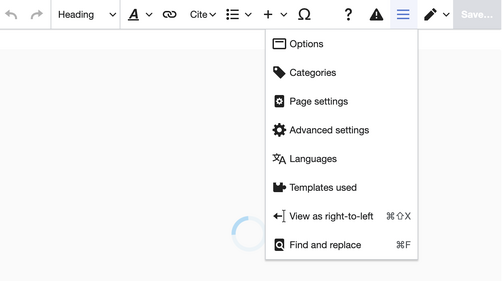
- In the Category dialog box, enter the name of the category you want to add.
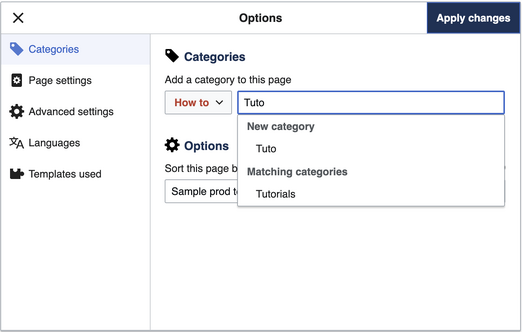
- Once you have added all the desired categories, click Apply Changes to save your selections.


Source Editing
- Scroll to the bottom of your page in Source Editing.
- Add a category tag using the following format:
[[Category:Category Name]]. - Replace
Category Namewith the name of the category you want to assign to your page.
